1. Go to your phone's Settings.
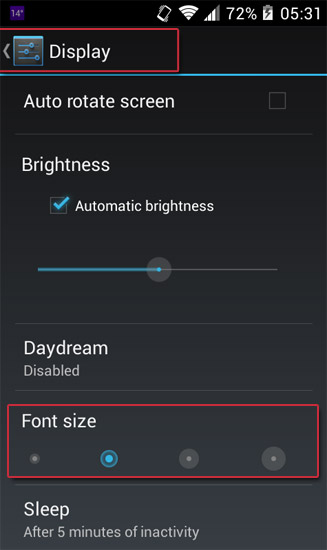
2. Now, go to Accessibility or Display (depends on your phone model, so check both).
3. Check the "large text" box in the options, or tap on font size and select either large or huge (whichever option is on your particular phone).
Irelia
Lead Tech Writer
Irelia translates complex current events into engaging digital and print narratives.